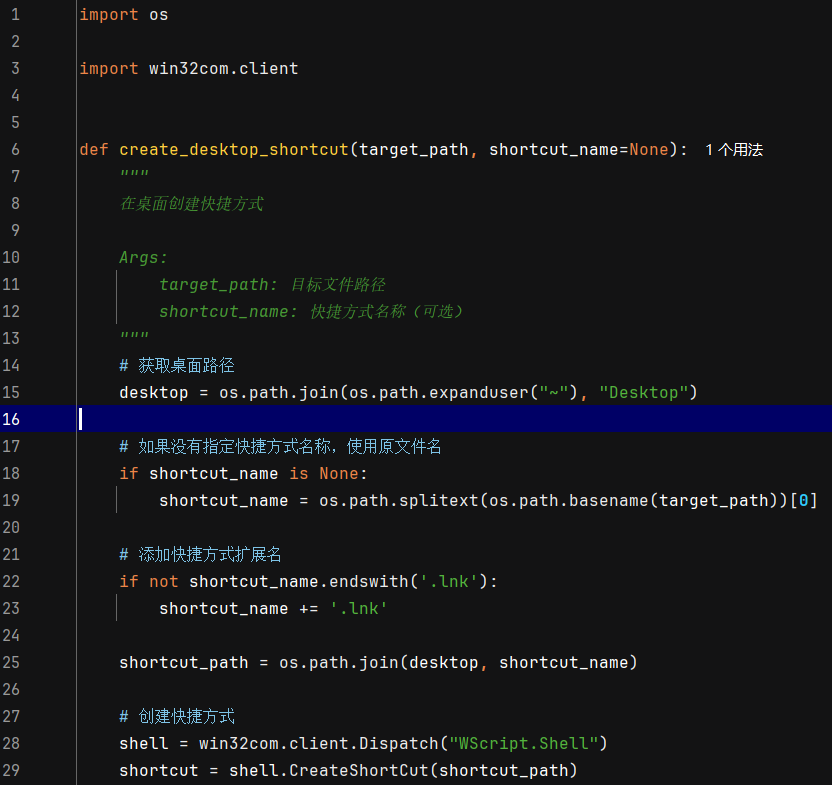


import os

import win32com.client


def create_desktop_shortcut(target_path, shortcut_name=None):
    """
    在桌面创建快捷方式

    Args:
        target_path: 目标文件路径
        shortcut_name: 快捷方式名称(可选)
    """
    # 获取桌面路径
    desktop = os.path.join(os.path.expanduser("~"), "Desktop")

    # 如果没有指定快捷方式名称,使用原文件名
    if shortcut_name is None:
        shortcut_name = os.path.splitext(os.path.basename(target_path))[0]

    # 添加快捷方式扩展名
    if not shortcut_name.endswith('.lnk'):
        shortcut_name += '.lnk'

    shortcut_path = os.path.join(desktop, shortcut_name)

    # 创建快捷方式
    shell = win32com.client.Dispatch("WScript.Shell")
    shortcut = shell.CreateShortCut(shortcut_path)
    shortcut.Targetpath = target_path
    shortcut.WorkingDirectory = os.path.dirname(target_path)
    shortcut.save()

    print(f"快捷方式已创建: {shortcut_path}")


# 使用示例
if __name__ == '__main__':
    create_desktop_shortcut(r"C:\MySP\soft_down.exe", "常用软件")
经常有些程序打包后,要快捷发送快捷方式到桌面打开,用以上代码可以轻松快捷的搞定.
© 版权声明
版权声明:文章图片,文件资源来源于网络,如有侵权,请留言删除!!!
THE END



暂无评论内容